To enter details on a hospital stay:
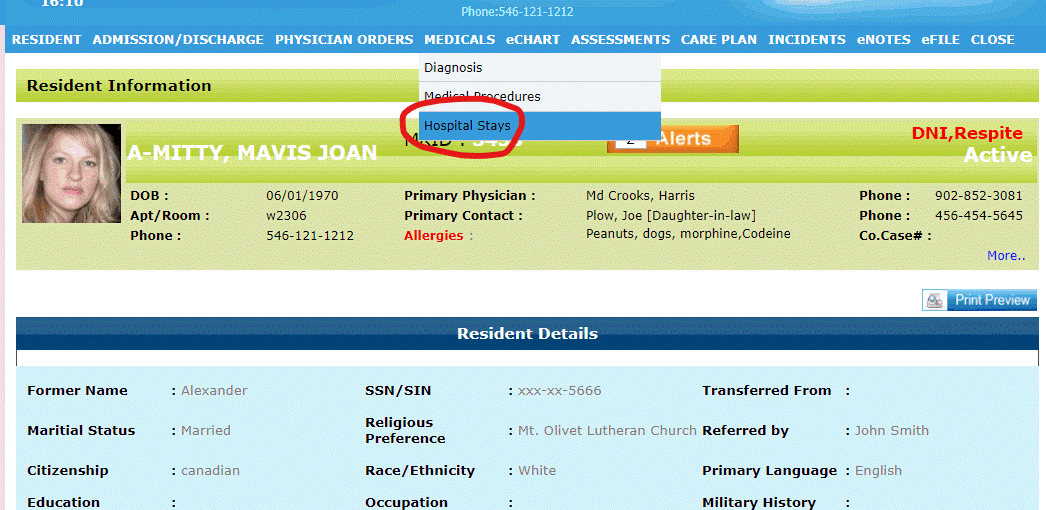
1. Select your resident and click on their name to open their records.
2. Select menu called Medicals and then Hospital Stays
3. A new screen will open:
a. Click on 'Select Hospital'
b. Enter the hospital name in the Search field to select it from the table
c. Select the hospital and enter the Admission Date , Discharge Date plus the Reason for admission.
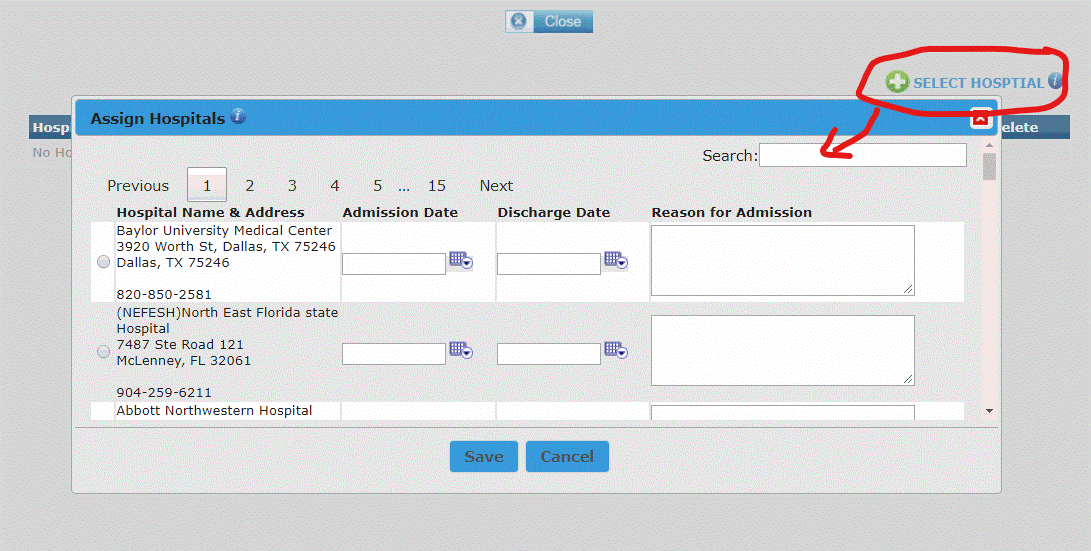
d. Save.
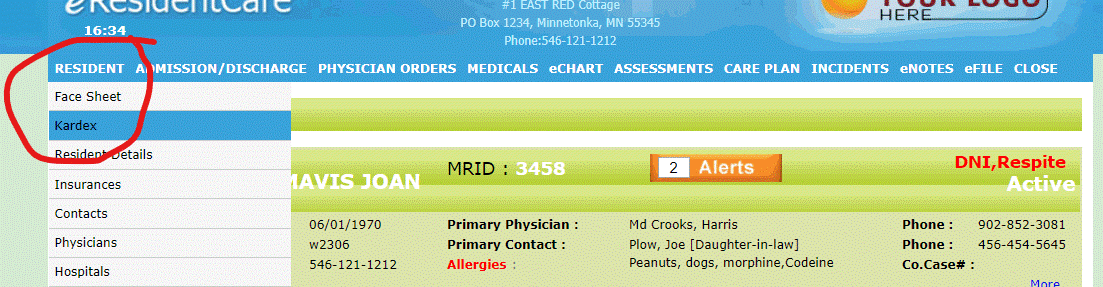
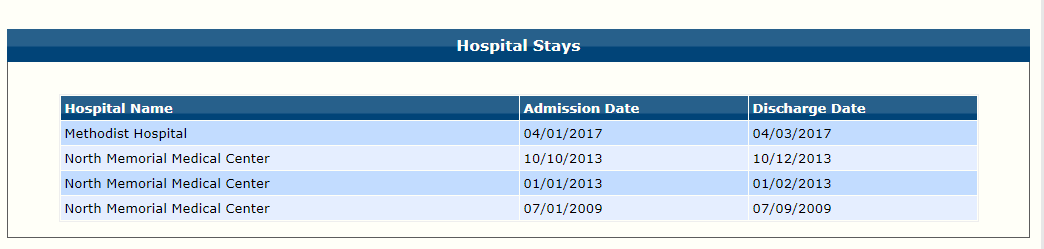
The list of hospital stays will show on the resident's kardex. To access the kardex under the menu 'Resident' select Kardex.