
Here are the steps to change the stop date a medication order:
- Select resident and open their Physician Orders / Medications.
- Click the 'Change stop Date'
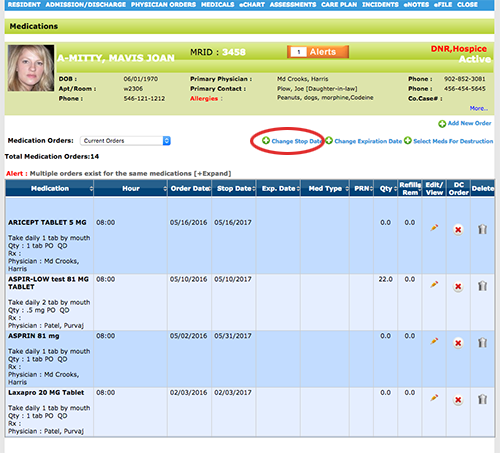
- Click on the calendar icon and select the Month/Year and click on the day you would like to change the stop date to.
Select the medications you would like to change on the right. Click 'Save' at the bottom of the page. (As shown in the image below)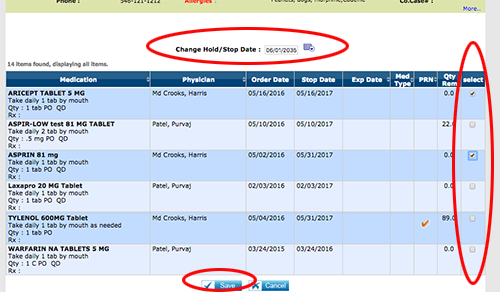
Your medications should now be available on the eMar.
NOTE: If you only have one order to change, you can also change the stop date in the medication order.