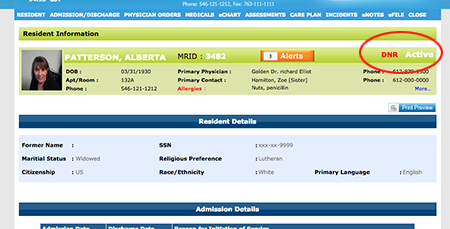
Follow these steps to add, change or remove a code status:
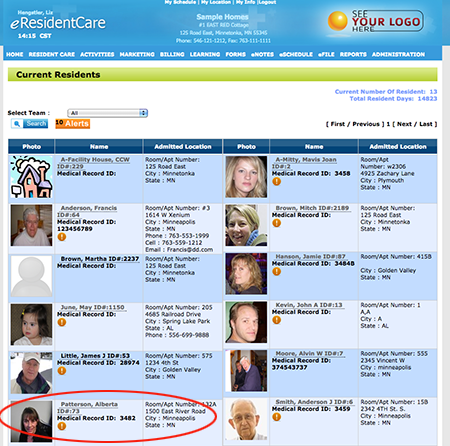
- Click on the Resident you would like to make the change to.
- Next goto 'RESIDENT' and select 'Resident Details'.
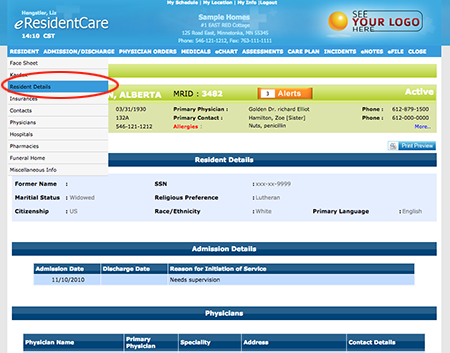
-
Once you have the Resident Details open scroll down and find 'Code Status'.
Choose the status you would like selected by clicking on the checkbox.
To remove a status you will need to click on the checkbox that is currently selected to uncheck the box.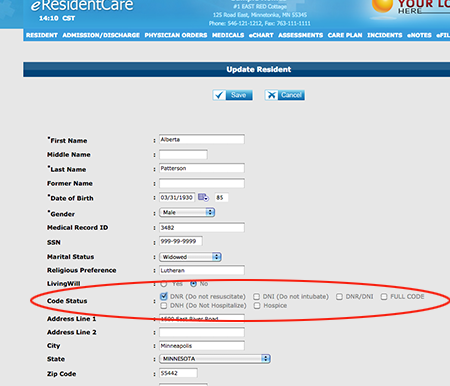
Click 'Save' to save your changes.
-
Your changes will now show on the Residents header.