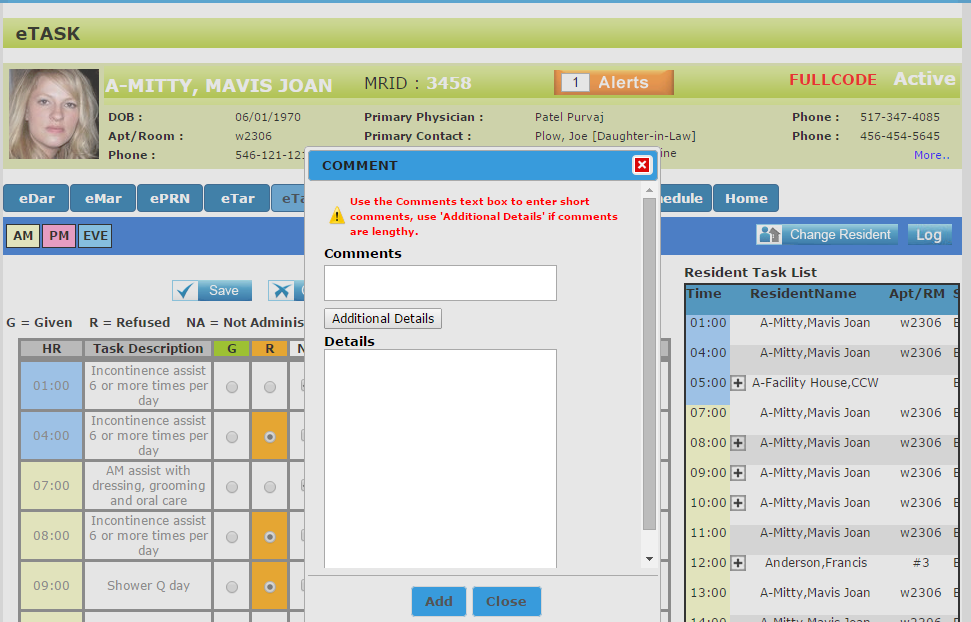
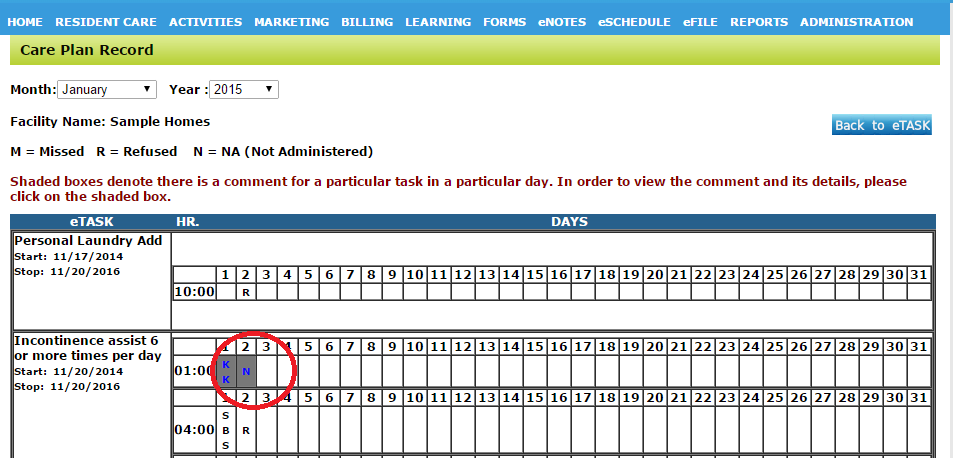
To add a comment click on the + sign in the comments box. This will open a pop up where you can add a comment (character limit is 250 characters). The Additional Details button will appear, once clicked the text box opens (character limit is 1000 characters.) The comments will appear in the LOG under the day (if there are comments the back ground will be darker) and can be viewed by clicking on the day.