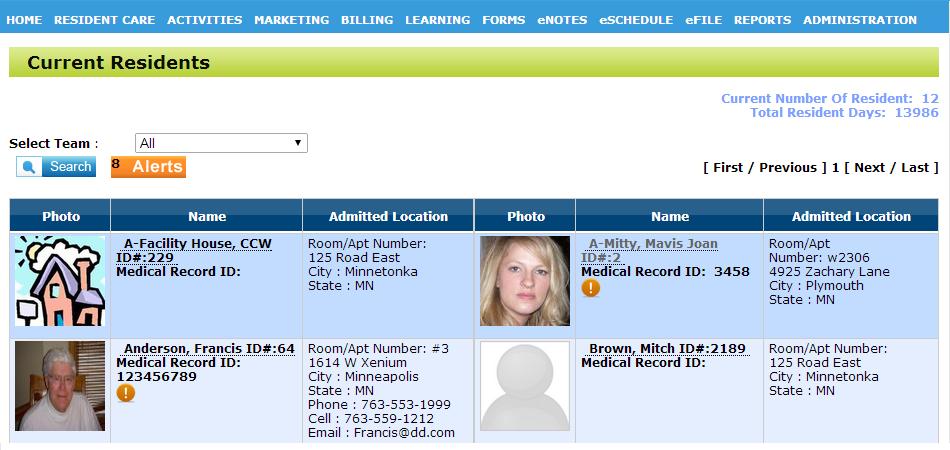
First, click on the resident on the "Home" page that you want to add a diagnosis to.
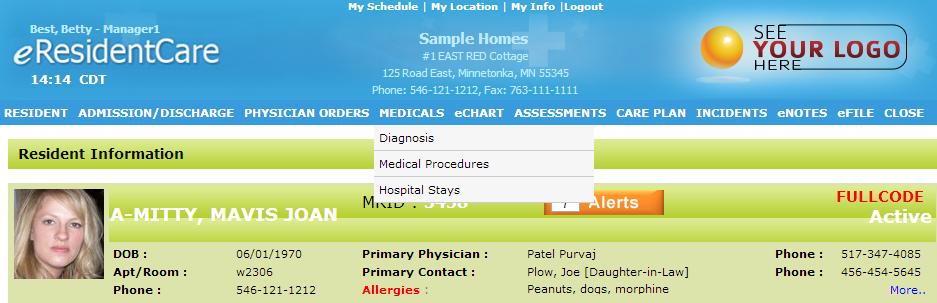
After you have chosen the resident, click on the menu "Medicals" at the top of the page and click on "Diagnosis" in the down-bar.
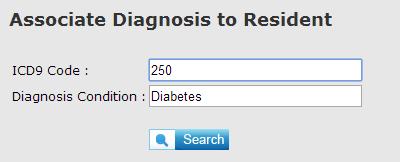
Once you get to the diagnosis page, scroll down and search for the name of the diagnosis you wish to assign in either the "Diagnosis Condition" or the ICD code in "ICD Code". It is recommended to search either on the code or condition
After you search for the diagnosis, it will appear towards the bottom of the page. Check the radio button of the diagnosis you wish to assign and click "Add".

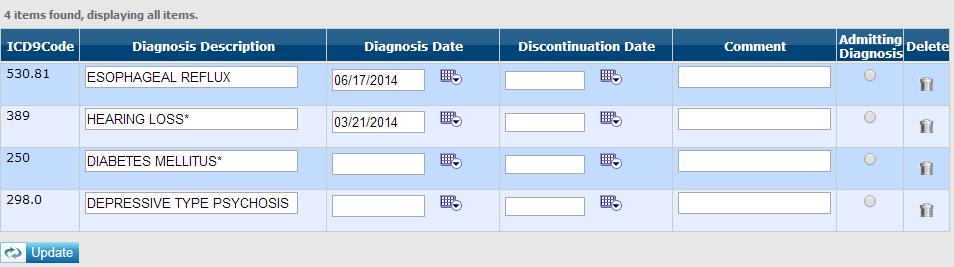
After you have added the diagnosis, it will appear at the top of the page under the list of diagnosis's.