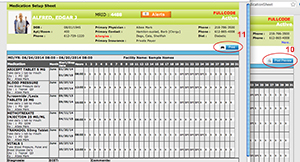
To record the meds when the resident will be gone from your facility follow these steps:
- Select the dropdown 'eMedSetup' from the eChart on the menu bar.
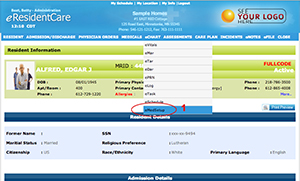
-
Click on 'New Medication Setup'
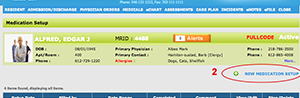
-
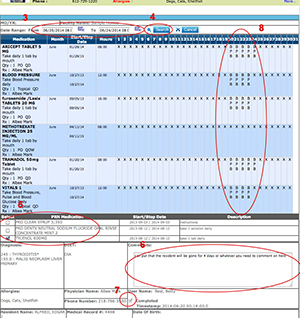
Enter the date range & time the resident will be gone.
-
Click 'Search.'
-
If you would like to include any PRN medications you would select them here (see # 5 in the diagram below).
-
You can put any notes you have here (see #6 in diagram below) such as, "The resident will be gone for 4 days."
-
When completed click the checkbox as shown as #7 in the diagram below.
-
When check it will display the users initials. (see #8 in diagram below)
-
After you click 'Save', you can can either click on view or edit to go in and print.
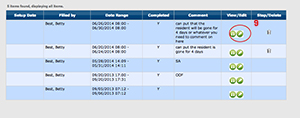
-
To Print select the "Print Preview' as shown below in #10. This will open a printable view you can send with your resident if needed.
-
Select 'Print' here as shown as #11.